Optimising your business’ Google maps listing is one of the most powerful ways to grow your business online.
Any search on Google with any kind of local modifier (“Glasgow” “Near Me” “In my area” etc.) will produce a ‘local pack’ above or alongside the organic search results.
This ‘local pack’ will normally be made up of around three business listings and a map of the local area.
As these results are displayed above any organic website results, getting your business on this list is incredibly powerful and can make a MASSIVE difference to your success online.
Even better, if you know what you’re doing, acquiring a local pack listing can be a lot faster than infiltrating the top organic results, saving you a whole load of time in your bid for world domination!
What is Local SEO for maps?
Local SEO for Google maps involves optimising your Google Maps business listing to improve its ranking in the local search engine results.
It is absolutely essential for any business that relies upon local customers, building trust, leapfrogging the organic search results, and allowing customers to get in touch without ever visiting your website itself.
Just some of the benefits of investing in Local SEO include:
Building trust
Customers EXPECT businesses to have map listings, and if you don’t that’s a big red flag.
Customers are 70% more likely to visit a business if they have a complete business profile, and nearly 3x more likely to view a business of reputable. That’s not us saying that, its a statistic from Google themselves!
Enquiries at the touch of a button
You can display all sorts of useful info on your Google business listing, including phone numbers, email addresses, and a full business address. No need for a customer to visit your website, just one click and they, or their enquiry, are on their way to see you.
In such a hotly contested online space, anything you can do to reduce friction (and clicks) between customers and you is a massive plus.
Double your ranking chances
Who wouldn’t want two horses in their race?
Having an optimised business listing AND an optimised website gives you multiple opportunities to appear on Google, increasing your visibility and reducing the screen space available to your competitors.
Top 10 tips for Ranking on Google Maps
Now we know why ranking on Google Maps is so important its time to get down to business.
1. Add or claim your Google Maps listing
If you don’t already have full access to your Google Maps listing, you need to either create a new GBP, or claim an unverified existing listing.
Check to see if your business is already listed on Google Maps via a simple Google search. If it doesn’t show up next to the map on the SERP, and doesn’t appear when you search your business name in maps itself, you will need to create a business profile on Google in order to add your business to Google maps.
Fortunately, this is a pretty easy process. Simply enter your business name, address, phone number and business details and away you go. You will probably be asked to verify your address and business ownership via a phone call, post card, or video of your business premises.
2. Fill out every section of your GBP
Yep, we mean EVERY section. Every single section of your business account listing, from phone number to description and even opening hours can affect your ranking, so make sure not to miss anything out.
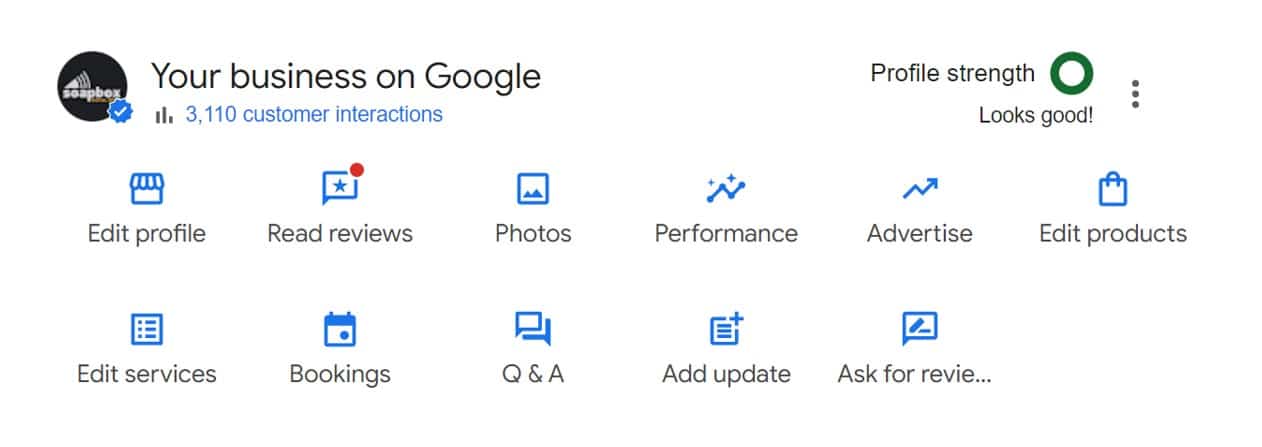
Choose the business category most relevant to your products or services and upload the very best images of your premises and some action shots of your team hard at work. You have complete control over what business information is displayed on Google from within your business dashboard, but beware, customers can update information they believe to be incorrect, and Google will often penalise businesses found to have published inaccurate information, so don’t take any risks!
3. Make the most of Google posts
Google business profiles have a very useful section called posts, where you can add updates about your business’s activities, promote special offers, and advertise new arrivals.
Regular posting is a great way to engage with customers, build trust that you are an active business, and direct traffic to key areas of your website. Add photos to your posts to attract attention and make sure your business news gets the interest it deserves.
4. Say Please and Thankyou (For Reviews)!
Manners never hurt anyone, and when it comes to reviews on Google Business listings, they really do help (A lot!).
Reviews are the number one thing that most people look for when comparing local businesses on Google, and not something to be overlooked.
Ask nicely if your previous customers would consider leaving you a review on Google and make sure to respond to each and every review you receive. Whether it’s thanking another satisfied customer or responding to criticism, be respectful, professional, and courteous at all times.
If you look at the bottom right of your free business profile, you will see an ‘Ask for Reviews’ button that provide you with a custom link you can give to customers that takes them directly to your listing review page.
5. Embed your maps listing on your website
Combine the power of your map listing and your website by embedding an interactive map directly in the footer of your website.
This not only connects your site and your business entity in the eyes of Google (potentially boosting rankings) but also allows website visitors to get directions to your premises in a single click.
Simply click share on your business listing inside of Google Maps, navigate to embed a map, choose your ideal size and copy and paste the code provided into the HTML of your websites footer. If you are unsure how to do this, our Glasgow web design team will be happy to help!
6. Optimise your Business Description
Did you know you can optimise your business listing description for SEO the same way you would with content on your website?
Including location specific terms such as local neighbourhoods, landmarks, and place names can increase relevancy in those areas and make you more likely to area for local searches.
Combine this with service specific keywords relevant to the services or products on offer and you’ve got a pretty powerful combo!
7. Don’t get caught NAPping
Your company’s NAP profile (Name, Address, Phone Number) should be consistent across your online presence. This doesn’t just mean on your website and business listing either.
Use the same format for all citations, social media accounts, and directories to make it clear to Google that this is the same business, passing trust signals far and wide across the web.
8. Build Local Citations
Talking of citations… Your Google Business profile (previously known as a Google my Business account) allows you to include links to all your social media accounts, so make sure you have them set up!
Once again, your customers expect it, and may be put off if they can’t find you on any popular social media site. In some instances your social media page might even rank on Google’s organic results, meaning every profile you build helps to increase your presence online.
As well as Facebook, X, Instagram, LinkedIn, and all the usual suspects, check out local directories in your sector that you could list your business on as well.
9. Add Review Schema to your Website
Once the reviews has started flooding in you will be able to embed them on your website via the power of review schema.
Schema is a type of structured data that can be placed in your website’s code that gives Google key information about your business. By using EmbedSocial, or a similar platform, you can embed widgets on your site that display your star rating and pull in reviews directly from your business listing.
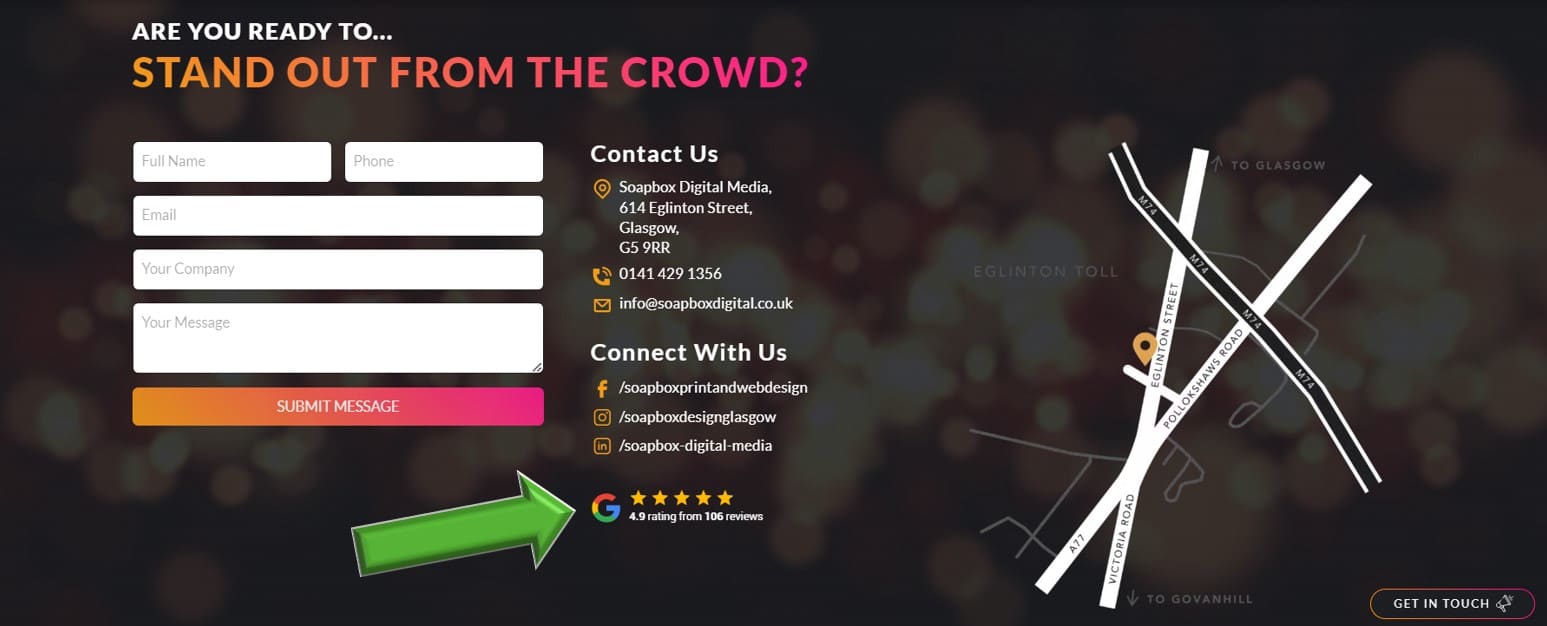
This is a great addition on its own, but the addition of Schema also allows you to display your star rating on Google’s search results. This is a fantastic way to stand out from the crowd and could give you the edge in a target customer’s decision making process.
10. Consider Local Service Ads
The vast majority of businesses can achieve all their local SEO goals by following the simple steps listed above.
However, if you need a little bit of an extra boost and want to ensure your spot at the very top of the local pack, local service Ads may be something that you want to consider to help local customers find your business.
Advanced Local SEO from Soapbox Digital Media
When you choose Soapbox for your local SEO, all of the tasks above will be taken care of for you, but that is only the beginning.
We have access to an array of advanced local SEO analysis and optimisation tools, which we use to get our clients one step ahead of the game and their business listing one step above their competition.
Using GEO mapping technology, we can identify exactly which parts of your local area your are strongest in, and will develop a strategy accordingly, using proven local SEO techniques to increase your rankings in troublesome zones.

We can also see exactly what your competitors are doing and help fill in any gaps that may be affecting your listings ranking potential. Once all the holes have been filled, it’s time to start building upwards and begin your journey to total world (or at least local area) domination.
Using Google maps to your advantage is a fantastic way to attract potential customers who search for your business services on Google, but if you don’t manage your business profile properly, you aren’t going to see the full potential become a reality.
To learn more about our Local SEO for Google Maps services, get in touch with our digital marketing gurus today on 0141 429 1356.